Thursday, January 28, 2021

Philips Hue broken link to google home app Google Assistant Community

As well as the announcement for new lights Hue is also adding in new functions that work with Google Assistant. You will be able to set Hue lights to sync with your morning alarm so your lights gradually light up as they would in sunrise mode. Lights added – Once set up all your Hue bulbs and lights will be automatically shown. Here you can add devices, click the plus button or add more devices to load the selection list. First off, open the Google home app on your phone or tablet device and tap the menu button in the top left corner. Tap the back arrow icon to return to the main screen of the Google Home app.

how to add philips hue lights to google home

This will be at the top of the app. Make sure you're using the same Google Account as the primary account from within the Google Home app. Google Pixel Watch Ben's smartwatch of choice with his phone is the Google Pixel Watch.

How to Set Up your Philips Hue lights without a Bridge

Then, tap the light bulb you want to control and scroll down to the “Status” section. Here, you’ll see information about the current state of your light, such as whether it’s on or off, what color it is, and how bright it is. You can use your mobile device to control your lights if you have a Google Home Mini or Max. Then, tap the light bulb you want to control and tap the switch in the upper right-hand corner. After this, check to ensure the hue bulbs are plugged and switched on as required.

how to add philips hue lights to google home

The next screen will have a “+” in the bottom right-hand corner, tap that “+” to add a device. A list of compatible devices will come up, tap on Philips Hue and follow the prompts. If you want to make any changes, you can open the Alexa app and tap the Devices tab at the bottom of your screen.

Home control — Lights, thermostats, plugs & switches

The last step is nicknaming your lights or configuring them to be part of a routine. This step is, however, optional. This functionality will work similarly to when you would like to wake up. If you need more support in pairing Philips Hue and Google Home, check out more questions and answers or get in touch with us.

how to add philips hue lights to google home

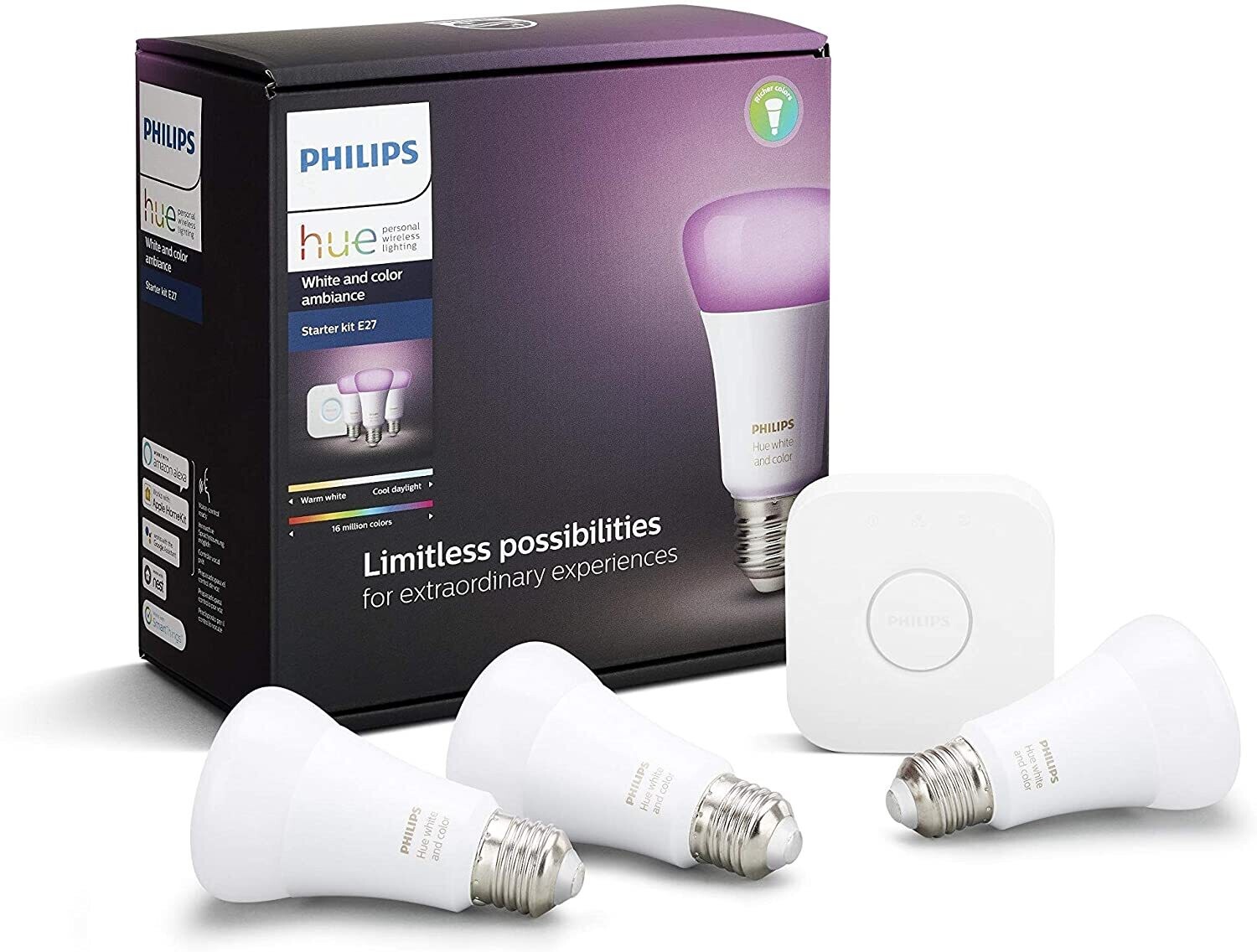
Want to add Philips Hue lighting to your Google Home? It’s easier than you think and in a few short minutes, you can be on your way to the best smart home on your block. Reconnected Google Home, add the hue, redirected to the hue site to acknowledge Google Home can use the device. There was a acknowledge with okay.

How to Add Philips Hue Lighting to Your Google Home

By adjusting these parameters, you can create a variety of effects that may be pleasing to the eye. Verify that the Google Account shown is the one linked to your Nest speaker or display. To switch accounts, tap another account or Add another account. Philips Hue has been working on its “Natural Light” scene for a while, with the scene enabling the bulbs in your home to shift their color temperature throughout the day. The feature first showed up for some users earlier this year, but was quickly removed and not seen again, until now. Assuming you’ve already set up your Google Home, linking up the lights to the speaker is very easy.

If you are using a voice assistant, it is a good idea to name your smart light bulb something that your smart speaker can recognize. If you’re experiencing issues with your Google Home connecting to your smart lights, there are a few things that you can do. First, make sure that the devices are compatible and that they have the same firmware version. Next, check for any obstructions between the light fixture and Google Home. Finally, try resetting both devices by unplugging them for 30 seconds each and then plugging them back in.

A Complete Guide on How to Control Lights With Google Home:

If you don’t see the group you want to add your bulb to, tap Skip. You can always add your lights to groups later. Then select whether you use a voice assistant. You should only select Yes if you use Alexa or the Google Assistant. Otherwise, select Not right now.
how to add philips hue lights to google home

Here, you’ll see a graph that shows your light usage over time. You can also see how much power your light is using and how long it’s been on. You can use Voice Match to turn on/off your lights if you have a Google Home Mini or Max. Then, tap the light bulb you want to control and scroll down to the “Voice Match” section.

The voice commands should be in line with the names assigned to different lights in your house and the colour settings as well. You can use the IFTTT application to add more customized settings if need be. This application can help you introduce additional options as you learn how to pair Philips hue with Google Home. For superior control, Google home will require you to allot all the smart lights identified to particular rooms inside your house. This setup is vital and permits you to form more specific commands.

how to add philips hue lights to google home

If not, link your account by following these steps. Yet still, I ask Google "turn on my bar lights" and it ignores my connected Kasa lights and responds "sorry, I can't connect to Philips right now". I also went into my Hue account and unlinked any connected apps. When connecting your Hue lights, a few blunders happen amid the method. A few mistakes are a result of contradictory software, whereas others are fair little client mistakes. Once you've completed the process, tap on the 'Done' button, and you're all set.

Choose a Ecovacs robot vacuum this Christmas

Whatever you want to do with your lighting, Hue can. You can also tap Lights on the Devices page and select a bulb to change its color and brightness. Or you can select Create a Routine at the bottom of your screen or tap the gear icon in the top-right corner to change your bulb’s name. Next, select Discover Devices.

Once your device finds one of your bulbs, you can tap Next to continue. If you are installing more than one bulb, tap Search for more. You can find out which bulb your device paired by tapping Hue bulb.

Useful GO and Philips Hue integrations

You can now start saying things like, “Hey Google, turn on the lights in my room” or “Turn all the lights off”. If you have the Philips Hue colored bulbs you can change the color of them with your voice as well. Setting up smart lights is easy — but it’s even easier with Seamless Setup when you set up your Philips Hue Bluetooth-enabled lights in the Google Home app. If you’re having issues with your lights, you can troubleshoot them by visiting the Google Home Help Center. Then, tap the light bulb you’re having issues with and scroll down to the “Help” section. Here, you’ll find a list of common issues and how to fix them.

How do I add additional Lutron Caseta switches to Google Home? : googlehome

Close will change the tilt so they are as shut as they can be. Interest will be charged to your account from the purchase date if the balance is not paid in full within 6 months. Right now the only way is to have separate accounts and log in/out. I cannot find any documentation or posts related to using the app to control two homes. Obviously, Apple's "Home" app can do it and i could use that, but think that the Lutron app should support multiple locations.

how to add lutron caseta to google home

This should ideally be done after new devices are added to the system for them to become available to Google. Voice commands were taken from the Lutron Support website located here. I would check the site to see if there have been any updates. The devices are not assigned to any rooms yet, so you should be able to find them if you scroll all the way to the bottom, under the “Linked to you” section. The names should match however you had them named in the Lutron app, all you need to do is assign them to rooms.

Connected living throughout your home

And once you have got your system up and running you can seamlessly expand beyond lighting to other connected home solutions. The Smart Hub gives Caséta controls a way to speak the smart home language and connect seamlessly with Google Home and other smart products. Lutron Caseta does work with Google Assistant and Google Home devices. A Lutron Caseta Smart Bridge is required in order to enable the integration. One of the key components to make the integration possible is the Lutron Smart Bridge.

how to add lutron caseta to google home

Seems like a pain to re-add everything but it is working. Lutron Caseta uses a proprietary networking protocol known as Clear Connect. Despite the lack of mesh networking, there can be some strong advantages to using Clear Connect over a ZigBee, Z-Wave, or Wi-Fi mesh network. Link your Caséta Wireless account to the Google Home app. Yeah that's a huge pain especially because I can't ever leave anything longer than a week lol, always installing new switches or moving things around. Note that if you have gone through this account linking flow previously, you might not see the screen below where you enter your credentials.

Bn-LINK 2 Pack Indoor 24-Hour plug in Mechanical Outlet Timer Daily use, 2 prong

An occupancy group is considered occupied if any of the sensors in the group are currently in an “occupied” state. Specifically, this means that motion has been detected more recently than that sensor’s particular timeout setting. Only after all sensors in an occupancy group report being vacant does the occupancy group itself report being vacant. Occupancy sensors can be added to a Lutron Caseta system to trigger events when an area becomes vacant and, optionally, occupied.

how to add lutron caseta to google home

Your credentials here are the same thing you used when setting up your account in the Lutron app. Whether you are just starting out or adding to your Caséta set up, explore the Caséta Advisor for ideas on using Caséta in different rooms throughout your home. Yea -- how hard would it be to manage two hubs in the app. The Lutron Caséta integration was introduced in Home Assistant 0.41, and it's used by 2% of the active installations. For more information on working with switches in Home Assistant, see the Switches component.

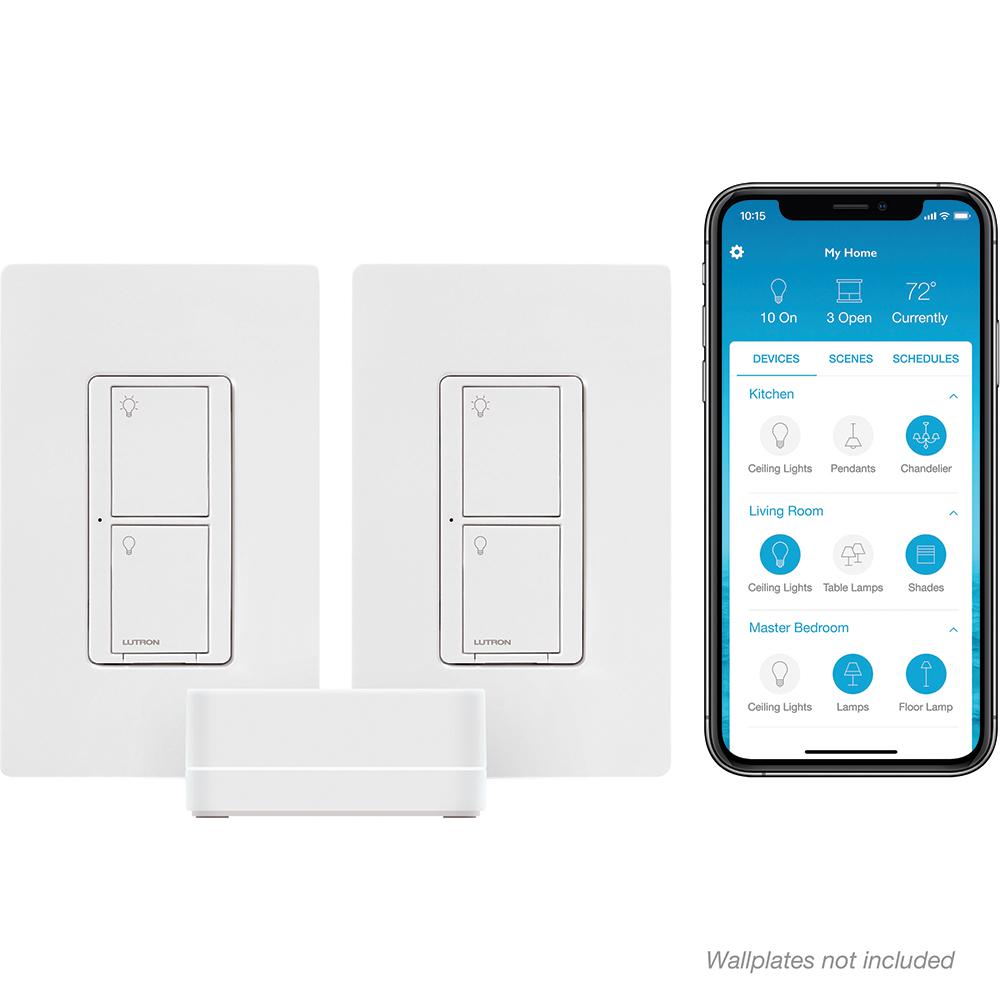
LUTRON Caseta Wireless Smart Lighting Dimmer Switch & Pico Remote Kit

For example, one or more sensors in the Master Bathroom will appear in Home Assistant as binary_sensor.master_bathroom_occupancy. Scenes are not directly supported on RA3 and QSX models, however the button platform can be used to activate scenes for these systems. Lutron Caséta can be auto-discovered by Home Assistant. If an instance was found, it will be shown as “Discovered”, which you can select to set it up right away. A hands-free Smart Home begins with Google Home connected to a Caséta Smart Hub, turning your voice into a Smart Home command center. Selecting any of the retailer links will redirect you from a Lutron operated website to a site operated by that retailer.

Turn lights on to a soft level and slightly raise shades every morning as you head into the kitchen for coffee. Add personalized scenes to control multiple lights and shades together at the touch of a button. Create a “movie” scene that dims lights and lowers shades as the movie begins.

You must have the Smart Bridge to integrate Lutron Caseta with the Google Assistant, or any other smart assistant . The Smart Away feature randomly turns lights on and off during the evening when you’re not home. You can manually trigger this feature in the app at your convenience or automatically trigger it if geofencing is turned on. The geofencing feature controls lights based on your location. Maybe you always leave the entryway lights on as you head out the door in the morning? Geofencing will turn them off for you once you’re out the door.

how to add lutron caseta to google home

If I press add device and press Lutron Caseta in the Home app it just says "Unlink account" and doesn't seem to have any way to update it with new lights. For example, it it’s time to watch a big game or a movie on TV, Lutron and Google Assistant can make sure the lighting is just right by asking Google to set the scene. Google assistant can then tell your Lutron Serena shades to lower and our Lutron dimmer switches to lower the lights so there is no glare on the TV. After setup, dimmable lights including wall and plug-in dimmers will appear in Home Assistant using an entity_id based on the name used in the Lutron mobile app.

Hi all, I have Lutron Caseta connected to Google Home, so it shows 10 lights. I just installed 3 more, and added them to the Lutron app but Google Home doesn't show them. Tried restarting, refreshing, I can't get them to show up.

Delivery times may vary, especially during peak periods. When you connect Google Home to Caséta lighting controls, you take a voice assistant that searches for information or manages your schedule and then integrate it with your smart home system. So now the Google Assistant voice service can control your lighting and other smart products through Google Home or your smart phone, all at the speed of sound. Google Assistant is one of the best smart assistants available to consumers today.

Or create a “goodnight” scene that turns off all your lights and closes shades before you drift off to sleep. After setup, switches will appear in Home Assistant using an entity_id based on the name used in the Lutron mobile app. For example, a light switch called ‘Master Bathroom Vanity’ will appear in Home Assistant as switch.master_bathroom_vanity. To get Lutron Caseta roller, honeycomb shades, lights, scene and switch working with Home Assistant.

how to add lutron caseta to google home

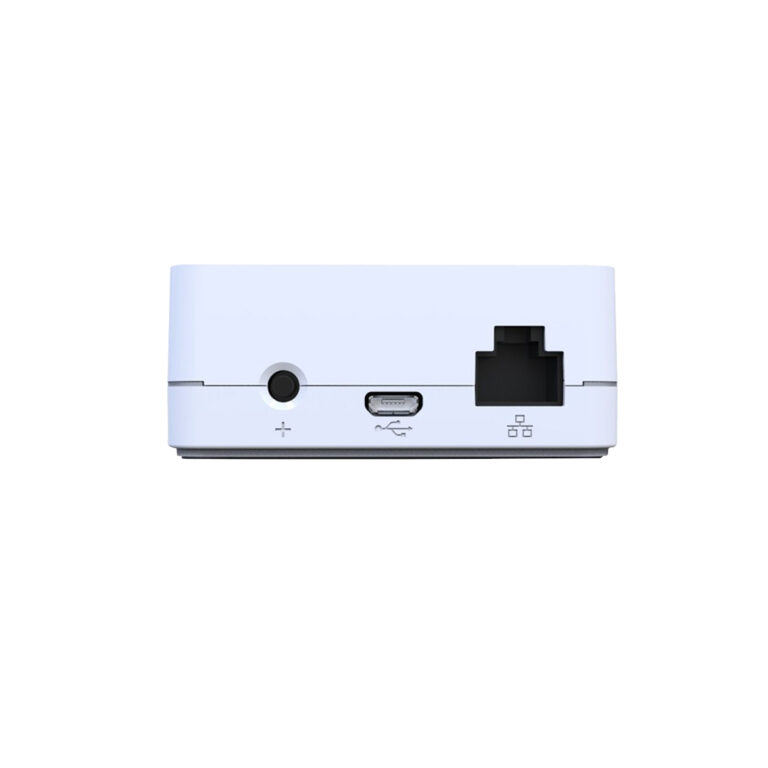
The Smart Bridge connects your Caseta devices to the internet and enables usage of the Lutron app. Caseta uses its own proprietary wireless communication, called Clear Connect, so it cannot connect directly to Wi-Fi. It takes just a few minutes to install your Caséta Wireless lighting control system.

Fan

Added a new Caseta switch via the Lutron app, and "sync my devices" made the Google Home app aware of the new device. I added 9 of the 10 switches to Google Home in one sitting without issues. I can't figure out how to add an additional switch after the initial setup. Once this is done and you authorize the account, Google will pull up the connected devices and allow you to assign your Lutron devices to rooms in your Google Assistant Account.

how to add lutron caseta to google home

For more information on working with scenes in Home Assistant, see the Scenes component. For more information on working with lights in Home Assistant, see the Lights component. For more information on working with shades in Home Assistant, see the Covers component. The list of certificate authorities that Home Assistant will expect when connecting to the bridge. Note that multiple hubs can be specified by using multiple configuration blocks, but each of them requires its own keyfile, certfile, and ca_certs to be generated and specified. In the bottom right, click on the Add Integration button.

Smart Home App

I thought a reset would help, so I deleted Lutron from Google Home. When configured, the Lutron Caséta integration will automatically discover the currently supported devices as set up in the Lutron Smart Bridge. The name assigned in the Lutron mobile app will be used to form the entity_id used in Home Assistant. E.g., a dimmer called ‘Lamp’ in a room called ‘Bedroom’ becomes light.bedroom_lamp in Home Assistant. Rapidly tap the top “on” button three times and on the third tap hold until the lights connected to the switch begin to dim up and down, immediately tap the top “on” button three times rapidly. The connected lights will then alternate dim and bright slowly.

Instead, it uses its own mesh network protocol to connect to a dedicated hub. I don't have anything by Lutron so I don't know exactly how this works, but if all of the devices are connected through a single account or hub, you may try unlinking and relinking it. Devices can also be added to rooms and scenes, so you can control a whole room with one command, or set the lights just right for a certain setting, like watching a movie. Those who own Lutron Caseta switches and controllers will tell you that they are among the best and most reliable. I’ve seen people that have more than forth Caseta devices, and they can all be controlled using Google Assistant through Google Home and Google Nest speakers.

How to setup Google Home with Caséta/RA2 Select

The Lutron Caseta scene platform allows you to control your Smart Bridge Scenes that are created in the Lutron mobile app. For non-dimmable lights or switched loads, see the switch section on this page. You can already ask Siri or Alexa to turn your Lutron smart lights on and off — starting today, you can use Google Assistant, too. Starting today, Lutron Caseta Wireless customers will be able to ask the Google Assistant to turn individual lights or groups of lights on and off, or to dim or brighten them.

how to add lutron caseta to google home

First follow the instructions for the general Lutron Caseta integration above. Now that you have all your Lutron Caseta devices connected, you may be wondering what commands you can use. When controlling your devices with your voice, you will use the naming that you have chosen in the Google Home app. Google Home is engineered with far-field voice recognition, so your commands to “dim the lights” and activate your pre-programmed scenes are heard over the noise and from across the room. Lutron Caseta isn’t compatible with Z-Wave or ZigBee smart hubs because it operates on a different radio frequency.

Expand your Smart Home System

The Smart Bridge connects your Caseta devices to the internet and enables usage of the Lutron app. Caseta uses its own proprietary wireless communication, called Clear Connect, so it cannot connect directly to Wi-Fi. It takes just a few minutes to install your Caséta Wireless lighting control system.

how to add lutron caseta to google home

For example, a light called ‘Bedroom Lamp’ will appear in Home Assistant as light.bedroom_lamp. Plus Google Home gives you access to the power of Google Search. After setup, fans will appear in Home Assistant using an entity_id based on the name used in the Lutron mobile app. For example, a light switch called ‘Master Bedroom Ceiling Fan’ will appear in Home Assistant as fan.master_bedroom_ceiling_fan. Schedule lights and shades to adjust automatically at set times of day. Turn on your porch light at sunset and turn it off at sunrise.

Cover

Close will change the tilt so they are as shut as they can be. Interest will be charged to your account from the purchase date if the balance is not paid in full within 6 months. Right now the only way is to have separate accounts and log in/out. I cannot find any documentation or posts related to using the app to control two homes. Obviously, Apple's "Home" app can do it and i could use that, but think that the Lutron app should support multiple locations.

how to add lutron caseta to google home

Setup your Google Assistant enabled device, download the Google Home app, and connect it to your Wi-Fi network. Enable the “Caséta Wireless” service in the Google Home app to sync your devices with the Google Assistant. Install your Caséta system, connect it to your Wi-Fi router, and download the Lutron App. This step only applies if you have multiple homes setup on your account. As only one home is supported through a single Google Home account at this time.

Similar to this post

This website may contain user-submitted content and is for informational use only. Lutron disclaims any and all liability for the accuracy and correctness of content and conduct of any third parties in connection with or related to your use of the site. Note that for shades, only an absolute level can be specified; cannot raise or lower shades by a relative amount. Sends Google a list of all Google-eligible devices that are currently on the user's account. For blinds, saying open or close will control the tilt, or the angle, of the blinds. Open will tilt the blinds so they are parallel with the ground.

how to add lutron caseta to google home

Connecting Google Home to Caséta lighting controls allows you to manage your smart home with voice commands to change the lighting, control the shades, adjust the temperature and DJ the music. Your smart home is now voice activated, so just say the word. My Lutron Caseta system stopped responding to voice commands through google assistant.

Make Your Voice Heard

For more information on working with buttons in Home Assistant, see the Buttons integration. Button Entities are created for each Keypad button and Pico Remote button present within the system. Radio RA3 and HomeWorks QSX systems can use these button entities to activate scenes that are defined within the Lutron system. Occupancy groups will appear in Home Assistant using an entity_id based on the area name in which the first sensor of the group is located.

how to add lutron caseta to google home

These voice commands are used to control the Lutron Caseta Fan Speed Control. The Google Home app will take you back to the setup screen. You will need to exit out of the setup process and go to the home screen to see the devices. The Smart Hub and App for Caséta are the perfect foundations for creating a connected home system. Monitor and control lights from anywhere, so you can always be in touch with your home. For dimmable lights including wall and plug-in dimmers, see the light section on this page.

Ultimate in Connectivity

If I press add device and press Lutron Caseta in the Home app it just says "Unlink account" and doesn't seem to have any way to update it with new lights. For example, it it’s time to watch a big game or a movie on TV, Lutron and Google Assistant can make sure the lighting is just right by asking Google to set the scene. Google assistant can then tell your Lutron Serena shades to lower and our Lutron dimmer switches to lower the lights so there is no glare on the TV. After setup, dimmable lights including wall and plug-in dimmers will appear in Home Assistant using an entity_id based on the name used in the Lutron mobile app.

how to add lutron caseta to google home

However, Lutron systems report occupancy and vacancy statuses only in occupancy groups – that is, groups of one or more sensors. If you already have caseta.key, caseta.crt, caseta-bridge.crt, and cannot physically access the bridge to press the button, pairing can be done by utilizing these existing files. This integration supports the Caséta, RA2 Select, RadioRA 3, and Homeworks QSX lines of products.

Hi all, I have Lutron Caseta connected to Google Home, so it shows 10 lights. I just installed 3 more, and added them to the Lutron app but Google Home doesn't show them. Tried restarting, refreshing, I can't get them to show up.

how to add lutron caseta to google home

For example, one or more sensors in the Master Bathroom will appear in Home Assistant as binary_sensor.master_bathroom_occupancy. Scenes are not directly supported on RA3 and QSX models, however the button platform can be used to activate scenes for these systems. Lutron Caséta can be auto-discovered by Home Assistant. If an instance was found, it will be shown as “Discovered”, which you can select to set it up right away. A hands-free Smart Home begins with Google Home connected to a Caséta Smart Hub, turning your voice into a Smart Home command center. Selecting any of the retailer links will redirect you from a Lutron operated website to a site operated by that retailer.

Wednesday, September 2, 2020

Incredible Will A Dentist Judge Me Ideas

Dentists, General at My Next Move
Dentists, General at My Next Move from www.mynextmove.org

Are you afraid of going to the dentist because you're worried they will judge you? You're not alone. Many people feel anxious about visiting the dentist and fear being judged for the condition of their teeth. However, it's important to remember that dentists are professionals who are there to help, not to judge. In this article, we will explore the common concerns people have about being judged by dentists and provide reassurance that you have nothing to worry about.

The Fear of Being Judged by a Dentist

When it comes to dental visits, there are several pain points that people often experience. One of the most common is the fear of being judged by the dentist. This fear can stem from a variety of reasons, such as embarrassment about the condition of their teeth, fear of being scolded for not taking better care of their oral health, or anxiety about being perceived as a "bad" patient.

However, it's important to remember that dentists have seen it all. They are trained professionals who have dedicated their careers to helping people improve their oral health. Their primary goal is to provide the best care possible, not to judge or shame their patients. Dentists understand that everyone's oral health journey is different, and they are there to support and guide you towards better oral hygiene habits.

In conclusion, there is no need to worry about being judged by a dentist. They are professionals who are committed to helping you improve your oral health. Remember that dentists have seen it all and are there to provide guidance and support, not to judge or shame you.

Personal Experience with Dentist Judgment

I used to be anxious about visiting the dentist because I was worried about being judged for the condition of my teeth. However, after mustering up the courage to go, I was pleasantly surprised by the dentist's professionalism and understanding.

The dentist took the time to listen to my concerns and explain the treatment plan in a compassionate manner. They never made me feel ashamed or judged for the state of my teeth. Instead, they focused on providing the necessary care and offering advice on how to improve my oral hygiene routine.

This experience made me realize that dentists genuinely want to help their patients achieve optimal oral health. They are not there to judge or shame you, but to guide and support you on your oral health journey.

Understanding the Role of Dentists

Dentists play a crucial role in maintaining and improving oral health. They are highly trained professionals who have extensive knowledge and expertise in diagnosing and treating dental issues. Their primary goal is to ensure that their patients have healthy teeth and gums.

When you visit a dentist, they will conduct a thorough examination of your mouth, teeth, and gums. They may ask about your oral hygiene routine, diet, and any concerns or issues you may have. This information helps them develop a personalized treatment plan tailored to your specific needs.

In addition to providing treatment, dentists also educate their patients on proper oral hygiene practices and offer advice on maintaining optimal oral health. They are there to answer any questions you may have and address any concerns you may be experiencing.

Overall, dentists are your partners in achieving and maintaining good oral health. They are dedicated professionals who are committed to providing the best care possible, without judgment or shame.

Debunking Myths about Dentist Judgment

There are several myths and misconceptions surrounding dentist judgment. Let's debunk some of the most common ones:

Myth 1: Dentists only care about perfect teeth

This is far from the truth. Dentists care about all aspects of oral health, not just the appearance of teeth. They are trained to diagnose and treat a wide range of dental issues, from cavities and gum disease to misaligned teeth and oral infections.

Myth 2: Dentists will shame you for neglecting your oral health

Dentists understand that life can get busy, and oral health may not always be a top priority. They are there to help you get back on track and provide guidance on improving your oral hygiene habits. They will not shame or judge you for any past neglect.

Myth 3: Dentists will scold you for not flossing regularly

While flossing is an essential part of maintaining good oral health, dentists understand that it may not be a habit for everyone. Instead of scolding, they will educate you on the importance of flossing and provide tips on incorporating it into your daily routine.

Myth 4: Dentists will judge you based on the condition of your teeth

Dentists are trained professionals who have seen a wide range of dental issues. They understand that everyone's oral health is different, and their focus is on providing the necessary treatment and guidance to improve your oral health, not to judge or shame you.

In conclusion, it's important to debunk these myths and understand that dentists are professionals who are there to help, not to judge. They are committed to providing the best care possible and guiding you towards better oral health.

Hidden Secrets of Dentist Judgment

Despite the fear of being judged, there are a few hidden secrets about dentist judgment that you should know:

Smiling dentist

1. Dentists have seen it all: Dentists have encountered a wide range of dental issues throughout their careers. They have treated patients with varying levels of oral health, so there is no need to feel embarrassed or ashamed about the condition of your teeth.

2. Dentists are focused on solutions: Dentists are problem solvers. Their main priority is to diagnose and treat dental issues to improve your oral health. They are not there to dwell on the past or judge you for any neglect.

3. Dentists appreciate honesty: It's important to be honest with your dentist about your oral health habits and any concerns you may have. By providing accurate information, your dentist can develop a treatment plan that is tailored to your specific needs.

4. Dentists are compassionate: Dentists understand that dental visits can be anxiety-inducing for some patients. They are trained to provide a calming and supportive environment to help ease your fears and make your visit as comfortable as possible.

Remember, dentists are professionals who genuinely care about your oral health. They are there to provide the best care possible and support you on your journey towards a healthier smile.

Recommendations for Dealing with Dentist Judgment

If you still feel anxious about being judged by a dentist, here are a few recommendations to help you deal with those feelings:

Relaxing in the dental chair

1. Communicate your concerns: Let your dentist know about your fears or concerns before your appointment. They can help address these concerns and provide reassurance throughout the visit.

2. Find a dentist you trust: Look for a dentist who makes you feel comfortable and is understanding of your anxieties. Building a trusting relationship with your dentist can help alleviate the fear of judgment.

3. Practice good oral hygiene: Taking care of your oral health can help boost your confidence during dental visits. Brush and floss regularly, and follow any specific instructions or recommendations provided by your dentist.

4. Educate yourself: Learn about common dental issues and treatments to have a better understanding of the process. This knowledge can help reduce anxiety and make you feel more prepared during dental visits.

By implementing these recommendations, you can take control of your dental experiences and reduce any fears or anxieties you may have about being judged by a dentist.

Conclusion

In conclusion, the fear of being judged by a dentist is a common concern, but it is important to remember that dentists are professionals who are there to help, not to judge or shame you. They have seen it all and are dedicated to providing the best care possible. By understanding their role, debunking myths, and implementing recommendations, you can overcome any anxiety or fear associated with dentist judgment and have a positive dental experience.

+29 What Sippy Cups Do Dentists Recommend Ideas

Pediatric Dentists Urge Parents Use Only Water in Sippy Cups KC
Pediatric Dentists Urge Parents Use Only Water in Sippy Cups KC from kcparent.com

Are you a parent looking for the best sippy cup for your child? Are you concerned about your child's dental health and want to know what sippy cups dentists recommend? Look no further! In this article, we will explore the topic of what sippy cups dentists recommend and provide you with all the information you need to make an informed decision for your child's oral health.

When it comes to choosing a sippy cup for your child, there are a few pain points that parents often face. One of the biggest concerns is the potential for tooth decay and cavities. Many sippy cups on the market are designed in a way that allows liquids to pool around the teeth, leading to the growth of harmful bacteria. Additionally, some sippy cups have valves or spouts that can interfere with proper tongue and jaw development. These are all important factors to consider when looking for a sippy cup that dentists would recommend.

So, what sippy cups do dentists recommend? The answer is simple - cups that promote good oral health and development. Dentists recommend sippy cups that are free from harmful chemicals like BPA and phthalates. They also recommend cups that are easy to clean and have a simple design without valves or spouts. Cups with a weighted straw or an open cup with handles are also popular choices recommended by dentists.

In summary, when looking for a sippy cup that dentists recommend, it's important to choose one that promotes good oral health and development. Look for cups that are free from harmful chemicals, easy to clean, and have a simple design. Cups with a weighted straw or an open cup with handles are great options. By choosing the right sippy cup, you can help ensure your child's dental health and development.

What sippy cups do dentists recommend and why?

When it comes to what sippy cups dentists recommend, there are a few key factors to consider. One of the most important factors is the material of the cup. Dentists recommend cups that are made from safe and non-toxic materials, such as BPA-free plastic or stainless steel. These materials are less likely to leach harmful chemicals into your child's drinks.

Another important factor to consider is the design of the cup. Dentists recommend cups that are easy to clean and have a simple design without valves or spouts. Cups with valves or spouts can make it difficult for your child to learn how to drink from a regular cup, and they can also increase the risk of tooth decay by allowing liquids to pool around the teeth.

Some dentists also recommend cups with a weighted straw or an open cup with handles. Cups with a weighted straw can help your child learn how to drink from a straw, which is an important skill for their oral and speech development. Open cups with handles can help your child transition to drinking from a regular cup, as they provide a sense of independence and control.

In conclusion, dentists recommend sippy cups that are made from safe and non-toxic materials, have a simple design without valves or spouts, and may include features like a weighted straw or an open cup with handles. By choosing a sippy cup that dentists recommend, you can help promote your child's oral health and development.

The History and Myth of What Sippy Cups Do Dentists Recommend

The concept of sippy cups has been around for decades, but the design and recommendations have evolved over time. In the past, sippy cups were often made from materials that were not safe or non-toxic, such as plastic containing BPA. These cups were thought to be convenient for parents and safe for children, but research later revealed the potential health risks associated with these materials.

As awareness of the potential dangers grew, dentists began recommending sippy cups made from safe and non-toxic materials, such as BPA-free plastic or stainless steel. These materials are less likely to leach harmful chemicals into your child's drinks and are considered safer for long-term use. The design of sippy cups has also evolved to promote better oral health and development.

There is a myth that sippy cups are necessary for a child's oral development, but this is not entirely true. While sippy cups can be a helpful tool during the transition from bottle to cup, they should not be used for an extended period of time. Dentists recommend introducing open cups as early as possible to promote proper tongue and jaw development.

In summary, the history of sippy cups has shown a shift towards safer materials and designs that promote good oral health and development. While sippy cups can be a useful tool, it's important to introduce open cups early on to support proper oral development.

The Hidden secret of What Sippy Cups Do Dentists Recommend

The hidden secret of what sippy cups dentists recommend lies in the design and features of the cup. Dentists recommend cups that are easy to clean and have a simple design without valves or spouts. This is because cups with valves or spouts can make it difficult for your child to learn how to drink from a regular cup and can increase the risk of tooth decay.

Another hidden secret is the use of weighted straws in some sippy cups. Dentists recommend cups with a weighted straw because they can help your child learn how to drink from a straw, which is an important skill for their oral and speech development. The weighted straw provides resistance and encourages your child to use their tongue and mouth muscles.

Additionally, the use of an open cup with handles is another hidden secret recommended by dentists. Open cups with handles provide a sense of independence and control for your child, while also promoting proper tongue and jaw development. These cups help your child transition from sippy cups to drinking from a regular cup.

In conclusion, the hidden secret of what sippy cups dentists recommend lies in the design and features of the cup. Cups without valves or spouts, cups with a weighted straw, and open cups with handles are all recommendations made by dentists to promote good oral health and development.

Recommendation of What Sippy Cups Do Dentists Recommend

When it comes to the recommendation of what sippy cups dentists recommend, there are a few top choices that consistently come up. One popular recommendation is the Munchkin Miracle 360 Cup. This cup has a simple design without valves or spouts and uses a 360-degree drinking edge to mimic drinking from a regular cup. It is also easy to clean and made from BPA-free materials.

Another recommended option is the NUK Learner Cup. This cup has a soft spout that is gentle on your child's gums and promotes proper oral development. It also has easy-grip handles for your child to hold and a spill-proof design to prevent messes.

The Philips Avent My Bendy Straw Cup is another dentist-recommended choice. This cup has a weighted straw that helps your child learn how to drink from a straw and promotes oral and speech development. It also has a simple design without valves or spouts and is easy to clean.

In summary, some dentist-recommended sippy cups include the Munchkin Miracle 360 Cup, NUK Learner Cup, and Philips Avent My Bendy Straw Cup. These cups have features that promote good oral health and development, and they are also easy to clean and made from safe materials.

What sippy cups do dentists recommend and why?

When it comes to what sippy cups dentists recommend, there are a few key factors to consider. One of the most important factors is the material of the cup. Dentists recommend cups that are made from safe and non-toxic materials, such as BPA-free plastic or stainless steel. These materials are less likely to leach harmful chemicals into your child's drinks.

Another important factor to consider is the design of the cup. Dentists recommend cups that are easy to clean and have a simple design without valves or spouts. Cups with valves or spouts can make it difficult for your child to learn how to drink from a regular cup, and they can also increase the risk of tooth decay by allowing liquids to pool around the teeth.

Some dentists also recommend cups with a weighted straw or an open cup with handles. Cups with a weighted straw can help your child learn how to drink from a straw, which is an important skill for their oral and speech development. Open cups with handles can help your child transition to drinking from a regular cup, as they provide a sense of independence and control.

In conclusion, dentists recommend sippy cups that are made from safe and non-toxic materials, have a simple design without valves or spouts, and may include features like a weighted straw or an open cup with handles. By choosing a sippy cup that dentists recommend, you can help promote your child's oral health and development.

Tips for Choosing the Right Sippy Cup

Choosing the right sippy cup for your child can be a daunting task, but these tips can help make the process easier. First, consider the material of the cup. Look for cups that are made from safe and non-toxic materials, such as BPA-free plastic or stainless steel.

Next, think about the design of the cup. Look for cups that are easy to clean and have a simple design without valves or spouts. Cups with valves or spouts can make it difficult for your child to learn how to drink from a regular cup and can increase the risk of tooth decay.

Consider the age and developmental stage of your child.

Tuesday, September 1, 2020

Famous Is Teeth Whitening Illegal For Non Dentists In California Ideas

Whites and wrongs illegal tooth whitening Dentistry Online
Whites and wrongs illegal tooth whitening Dentistry Online from dentistry.co.uk

Are you considering getting your teeth whitened but unsure if it's legal for non-dentists to perform the procedure in California? This article will delve into the topic of teeth whitening and the legality surrounding it in the state. Whether you're a consumer or someone interested in offering teeth whitening services, read on to find out the facts.

Many people desire a bright, white smile, and teeth whitening has become a popular solution. However, there are regulations in place to ensure the safety and effectiveness of the procedure. Understanding these regulations is crucial to avoid any legal issues or potential harm to your teeth.

In California, teeth whitening is considered a dental procedure, and according to the Dental Practice Act, it is illegal for non-dentists to perform any dental procedures, including teeth whitening. The act states that only licensed dentists and dental hygienists can legally perform teeth whitening procedures.

The main reason behind this regulation is to protect the public from potential harm. Teeth whitening involves the use of bleaching agents that can have adverse effects if not used correctly. Dentists undergo extensive training and education to ensure they can safely perform these procedures and address any potential complications that may arise.

Personal Experience with Teeth Whitening in California

As someone who has sought teeth whitening services in California, I can personally attest to the importance of choosing a licensed dentist. I initially considered going to a non-dentist for a cheaper option, but after researching the risks involved, I decided it was best to prioritize my dental health and safety.

During my consultation with a licensed dentist, they explained the process in detail and addressed any concerns I had. They also conducted a thorough examination of my teeth to ensure they were suitable candidates for teeth whitening. Throughout the procedure, I felt confident in the dentist's expertise and knew that I was in capable hands.

Furthermore, the results were outstanding, and my teeth were noticeably whiter. The dentist provided post-treatment instructions and recommendations to maintain the results, ensuring the longevity of my newly whitened smile.

Understanding Teeth Whitening in California

Teeth whitening is a cosmetic dental procedure aimed at removing stains and discoloration from the teeth. It involves the use of bleaching agents, such as hydrogen peroxide or carbamide peroxide, to penetrate the tooth enamel and break down the molecules responsible for discoloration. This process results in a brighter, whiter smile.

In California, only licensed dentists and dental hygienists can legally perform teeth whitening procedures. This regulation ensures that individuals undergoing teeth whitening receive proper care and supervision from qualified professionals. It also helps prevent any potential harm or complications that may arise from improper use of bleaching agents.

The History and Myth of Teeth Whitening in California

Teeth whitening has gained popularity over the years, with many individuals seeking a brighter smile. However, myths and misconceptions surrounding teeth whitening have also emerged. One common myth is that non-dentists can legally perform teeth whitening in California.

This misconception may stem from the availability of over-the-counter teeth whitening products, such as whitening toothpaste or strips, which can be purchased without a prescription. While these products can provide some level of whitening, they are not as effective as professional teeth whitening procedures performed by licensed dentists.

It's essential to separate fact from fiction when it comes to teeth whitening in California. Understanding the regulations and seeking treatment from a licensed dentist ensures your safety and the best possible results.

The Hidden Secret of Teeth Whitening in California

One hidden secret about teeth whitening in California is that some non-dentists may still offer teeth whitening services illegally. These individuals may operate under the radar, without the proper licenses or training, putting their clients at risk.

It's crucial for consumers to be aware of these illegal practices and seek treatment only from licensed dentists or dental hygienists. Doing so guarantees that you receive the highest standard of care and reduces the chances of complications or ineffective results.

Recommendations for Teeth Whitening in California

With the strict regulations surrounding teeth whitening in California, it is recommended to always consult a licensed dentist for the procedure. They have the necessary knowledge, skills, and experience to perform teeth whitening safely and effectively.

When choosing a dentist for teeth whitening, consider their qualifications, experience, and reviews from previous patients. A reputable dentist will prioritize your dental health and safety while providing exceptional results.

Conclusion: Teeth Whitening in California

In conclusion, teeth whitening performed by non-dentists is illegal in California. The Dental Practice Act restricts the practice of dental procedures to licensed dentists and dental hygienists. This regulation ensures the safety and effectiveness of teeth whitening procedures, protecting the public from potential harm.

If you're considering getting your teeth whitened in California, it's important to prioritize your dental health and seek treatment from a licensed dentist. They have the expertise and knowledge to perform the procedure safely and provide you with the best possible results. Don't compromise your dental health by opting for illegal or unqualified teeth whitening services.

Question and Answer

Q: Can non-dentists perform teeth whitening in California?
A: No, teeth whitening is considered a dental procedure, and only licensed dentists and dental hygienists can legally perform it in California.

Q: Are there any risks associated with non-dentist teeth whitening?
A: Yes, non-dentists may not have the necessary training or knowledge to perform teeth whitening safely. Improper use of bleaching agents can lead to tooth sensitivity, gum irritation, or even damage to the tooth enamel.

Q: How can I ensure the safety of my teeth whitening procedure?
A: To ensure the safety of your teeth whitening procedure, always consult a licensed dentist. They have the necessary training and expertise to perform the procedure safely and address any potential complications.

Q: Can I perform teeth whitening on myself at home?
A: While there are over-the-counter teeth whitening products available, it's recommended to consult a licensed dentist for the best and safest results. They can assess your dental health and provide you with personalized treatment options.

Conclusion of Teeth Whitening in California

In conclusion, teeth whitening is illegal for non-dentists to perform in California. This regulation is in place to protect the public from potential harm and ensure the safety and effectiveness of teeth whitening procedures. If you're considering getting your teeth whitened, always consult a licensed dentist to ensure your dental health and receive the best possible results.

Awasome Can You Become A Dentist In 4 Years References

[2020] Just 4 Steps! How Long Does it Take to a Dentist? FAQ
[2020] Just 4 Steps! How Long Does it Take to a Dentist? FAQ from howtodoitwiki.com

If you've ever thought about pursuing a career in dentistry, you may have wondered if it's possible to become a dentist in just four years. It's a question that many aspiring dental professionals ask themselves, and the answer is not always clear. In this article, we will explore the possibility of becoming a dentist in four years and provide you with the information you need to make an informed decision.

One of the main concerns for individuals considering a career in dentistry is the amount of time it takes to complete the necessary education and training. The thought of spending several years in school can be daunting, especially for those who are eager to start their careers as soon as possible. Additionally, the financial burden of pursuing a dental degree can also be a deterrent for some individuals.

The answer to the question of whether you can become a dentist in four years ultimately depends on the specific program and educational pathway you choose. While it is possible to complete a dental program in four years, it is important to note that this timeline is not typical for most aspiring dentists. The majority of dental programs require a minimum of eight years of education and training, including four years of undergraduate study and four years of dental school.

Personal Experience: Can You Become a Dentist in 4 Years?

When I first considered pursuing a career in dentistry, I was determined to complete my education as quickly as possible. I researched different programs and found one that offered an accelerated track, allowing students to complete their dental degree in just four years. Excited by the prospect of starting my career sooner, I enrolled in the program.

However, I quickly realized that the fast-paced nature of the program was not ideal for me. The condensed curriculum and rigorous schedule made it challenging to fully grasp the material and develop the necessary skills. Additionally, the program lacked the clinical experience and hands-on training that is crucial for becoming a competent dentist.

After careful consideration, I decided to transfer to a traditional dental program that offered a more comprehensive education and training experience. Although it meant spending a few extra years in school, I knew that this was the best decision for my future career. The additional time allowed me to gain a deeper understanding of the field, refine my clinical skills, and build a strong foundation for my dental practice.

What Is Can You Become a Dentist in 4 Years?

Can You Become a Dentist in 4 Years is a concept that refers to the possibility of completing a dental program in a shorter amount of time than the traditional eight-year path. It is often seen as an attractive option for individuals who are eager to enter the workforce sooner or who want to save on tuition costs.

However, it is important to consider the potential drawbacks of pursuing an accelerated dental program. These programs may sacrifice the quality of education and training in order to expedite the process, which can have long-term consequences for your career. Additionally, the intense workload and lack of hands-on experience may make it difficult to fully develop the skills and knowledge necessary to excel as a dentist.

History and Myth of Can You Become a Dentist in 4 Years

The idea of completing a dental program in four years has been around for many years. It has often been touted as a shortcut to a successful career in dentistry, promising a faster path to professional success. However, this notion is more of a myth than a reality.

In reality, the dental profession requires a comprehensive education and training that cannot be condensed into just four years. Dental schools are designed to provide students with the knowledge, skills, and experiences necessary to become competent and successful dentists. Rushing through the program may result in a lack of essential training and a limited understanding of the complexities of the field.

The Hidden Secret of Can You Become a Dentist in 4 Years

The hidden secret of becoming a dentist in four years is that it is not the norm. While there may be a few accelerated programs available, the vast majority of dental programs require a longer time commitment. This is because dentistry is a complex field that requires a strong foundation in the basic sciences, as well as extensive clinical training.

It is important to carefully consider the potential consequences of pursuing an accelerated dental program. While it may seem appealing to enter the workforce sooner, the lack of comprehensive education and training may hinder your long-term success as a dentist. Taking the time to fully develop your skills and knowledge will ultimately benefit both you and your future patients.

Recommendation for Can You Become a Dentist in 4 Years

If you are considering a career in dentistry, it is recommended to pursue a traditional dental program that offers a comprehensive education and training experience. While it may take longer to complete, this path will provide you with the necessary knowledge, skills, and experiences to become a competent and successful dentist.

Additionally, it is important to thoroughly research and consider different dental programs before making a decision. Look for programs that have a strong reputation, offer ample clinical experiences, and provide support and resources for students.

Exploring the Possibility of Can You Become a Dentist in 4 Years

While it is possible to find accelerated dental programs that allow you to complete your education in four years, it is important to carefully consider the potential drawbacks of this pathway. Rushing through your education may result in a lack of essential training and a limited understanding of the field.

Ultimately, the decision of whether to pursue an accelerated dental program or a traditional program is a personal one. It is important to weigh the benefits and drawbacks and consider your own goals and priorities.

Tips for Can You Become a Dentist in 4 Years

If you are determined to become a dentist in four years, there are a few tips that may help you achieve your goal:

  1. Research accelerated dental programs: Look for programs that offer an accelerated track and meet your specific needs and goals.
  2. Create a plan: Develop a detailed plan that outlines the coursework, exams, and clinical experiences you need to complete in order to graduate in four years.
  3. Stay focused and motivated: The condensed nature of an accelerated program can be challenging, so it is important to stay focused and motivated throughout your studies.
  4. Seek support: Reach out to classmates, professors, and mentors for support and guidance throughout your journey.

Conclusion of Can You Become a Dentist in 4 Years

While it is possible to become a dentist in four years, it is not the typical path for most aspiring dentists. The majority of dental programs require a longer time commitment in order to provide a comprehensive education and training experience. It is important to carefully consider your goals, priorities, and the potential consequences of pursuing an accelerated dental program before making a decision.

50 Cute Short Hairstyles for Women How to Style Short Haircuts

Table Of Content Embrace your natural texture… and pick your products from there. Prettiest Platinum Pixie Cuts for Cooler Blonde Crop Men’s...